
Flashcards that actually stick
A Knovli deck is a collection of flashcards you own. Type the cards yourself, let Knovli draft them from a document, or copy a deck someone else has published — then study it, share it, or hand it to a class.
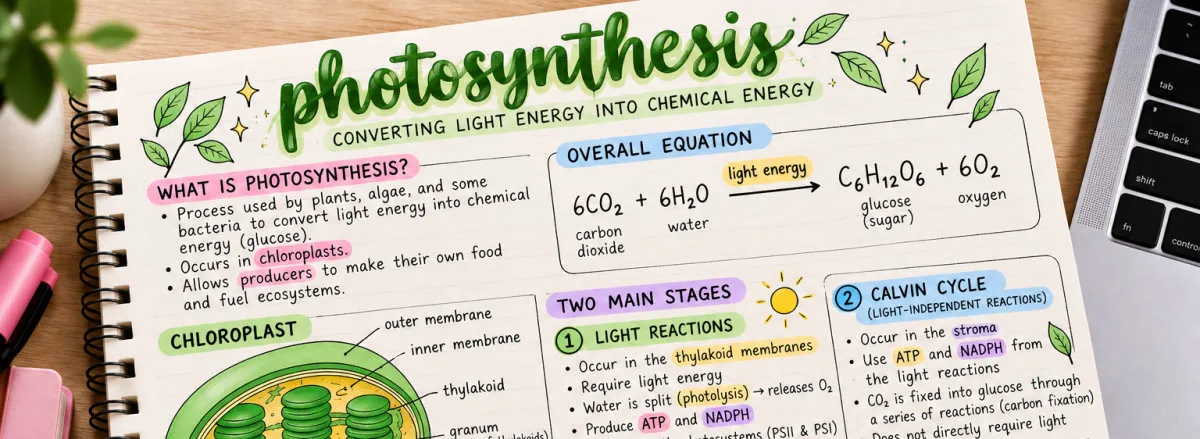
Build a deck in minutes
A card is a term and a definition, and it can carry an image. Add cards one at a time or paste a whole list in at once, reorder them, and edit any card later without losing the progress you have already made on the deck.
Cards are not limited to plain words. The card toolbar writes equations, chemical formulas and reactions such as 2H₂ + O₂ → 2H₂O, superscripts and subscripts, and its symbol picker adds Greek letters, math signs, arrows, accented letters and pronunciation symbols, a code button sets code in a monospace block that keeps its indentation, a table button lays facts out in rows and columns, teachers can turn a picture into a label-the-diagram quiz (outline a part and it lights up, or play Pinpoint) or a timeline, a music button writes notes on a staff, and teachers and adult learners can add a short audio clip to a card (a pronunciation, a listening line, a few bars of music), so a chemistry, physics, math, computer science or language deck reads the way the subject is written. A language deck can also say what language its terms and its definitions are in, and the 🔊 speaker on each card reads that side with the right accent.
Decks go into folders, so a term you learned in September is still findable in May. Every deck starts private. Making it public is a deliberate switch, and it is the only thing that puts a deck in front of anybody else.
Turn your notes into flashcards or a quiz
On My Decks, open + Flashcard Deck and choose From Document. Upload a PDF, a Word file or your typed notes, or photograph a page of a textbook with your phone, and Knovli drafts the cards for you. On My Quizzes, + Quiz → From Document drafts multiple-choice questions from the same material instead.
No document? Choose From a Topic: name the subject — the water cycle, the causes of the American Revolution, the parts of a cell — pick a grade level and twenty to eighty cards — or let Knovli decide how many the topic needs for full coverage, up to eighty, with the must-know terms starred — and Knovli drafts a deck from scratch. You only pay for the cards it writes. Teaching to a standard? Pick it from the AP, Common Core, NGSS or California frameworks, or paste its wording, and the cards follow it. With no notes behind it, that draft is worth a careful read before anyone studies it.
Nothing is saved until you say so. The draft opens in the ordinary editor, unsaved: fix a definition, delete the three cards that came out of a page header, correct an answer that is not quite right, add the two the page implied but never spelled out. Your file is read on your device rather than uploaded, and one monthly page allowance covers cards, questions and topic decks — a page costs the same whichever you ask for, and a topic deck uses one page for every ten cards — which you can check under Profile → Subscription.
Study it eight ways, then master it
Every deck opens into eight study modes and a mastery plan. They all read the same cards, so switching between them costs you nothing and your progress follows you across all of them.
- Flashcards
- Flip through term and definition, marking what you already know as you go.
- Multiple Choice
- Pick the right definition for each term from four options.
- Speed Quiz
- Answer as many as you can before the timer runs out.
- Vocab Maze
- Collect clues and power-ups, dodge the ghosts, then spell the word.
- Type the Answer
- No options to pick from — recall the term and type it.
- Match the Pairs
- Pair each term with its meaning. Only the first attempt counts.
- Use It
- Short situations — work out what follows.
- Say It Your Way
- Explain it in your own words, marked for understanding. Off unless a deck’s owner turns it on.
Read up in Knovli Learn
Knovli Learn is our own writing on how to study well: how to build a deck that actually sticks, when flashcards beat multiple choice, and how mastery works here. The guides are short and practical rather than academic.
Decks mentioned in an article open straight into Knovli, so an idea you have just read about is one tap from the cards you would use it on.
Subject and topic chips, the same ones decks and quizzes use, narrow the articles and the subject pages to what you are studying.
Copy anything you find
Explore is full of public decks made by other learners, plus Curated Content written and checked by subject specialists — anything carrying the Content Expert badge has been approved by somebody qualified in that subject.
Copy any public deck into your own library with one action. The copy is yours: edit it, cut the cards you do not need, add the ones your teacher actually set, and study it without touching the original.
Every deck page has five stars. A signed-in learner taps one to rate the deck, and the average and the number of ratings show on its card in Explore, so the next person can see what others thought before they start.
Common questions
Do flashcards cost anything on Knovli?
No. Building decks, studying them and copying public decks are all free. A paid plan raises the monthly allowance for turning documents into cards and lifts the free-tier limit on how many games you can play in a month.
Can I make flashcards from a photo?
Yes. Photograph a page with your phone and choose From Document. Knovli reads the page on your device and drafts cards you can edit before anything is saved.
Can Knovli write a quiz from my notes too?
Yes. On My Quizzes, choose + Quiz then From Document and Knovli drafts multiple-choice questions from the same kind of file. The questions open in the quiz editor unsaved, so you can correct an answer or delete a question before you keep it. It draws on the same monthly page allowance as flashcards — a page costs the same whichever you ask for — so there is no second allowance to keep track of.
Do I need an account to look at flashcards?
No. Public decks and Explore are open to anyone. You need a free account to build your own decks, save your progress or study a deck.
Can I share a deck with a friend or a class?
Yes. Make a deck public and it gets its own web address you can send to anybody. Teachers can also share a deck straight into a class and assign it with a due date.